

Want to watch a Snapchat Story without your name appearing in the viewer list? That is exactly why the search for a Snapchat viewer has become so popular, but not every tool you find online works the way it claims.
A Snapchat viewer can help you access public Snapchat Stories and profile content without signing into the Snapchat app. Some tools are simple browser-based viewers, while others are actually phone-monitoring apps that work in a completely different way.
The important part is knowing the difference. Public content can sometimes be viewed without a Snapchat account, but private and friends-only Stories cannot legitimately be unlocked by a third-party viewer. Some websites are also more privacy-friendly than others, so choosing a tool means looking beyond the words “anonymous” or “100% safe.”
My Verdict
The biggest thing to understand is that not every product advertised as a Snapchat viewing tool does the same job.
Browser-based services such as PeekPublic, StoryLooker, and SnapStoryView are designed around public Snapchat content. They generally let you search for a public username without logging into Snapchat.
Snapchat’s own public profile pages can also be opened in a browser without an account, making the official website an important option that many comparison articles overlook.
Monitoring applications such as XnSpy and mSpy are completely different. They are installed on a physical device and monitor activity from that device rather than pulling private Stories directly from Snapchat’s servers.
Most importantly, no legitimate browser-based Snapchat viewer can unlock a private or friends-only Story. A website promising access to private content should be treated cautiously.
There is also another important distinction about privacy. A tool may prevent the Story owner from seeing your Snapchat username, but the website itself can still potentially see technical information about your visit, such as your IP address or browser details.
Quick Comparison of the Best Snapchat Story Viewer Tools
| Tool | Type | Snapchat Login | Public Stories | Installation | Price | Best For |
|---|---|---|---|---|---|---|
| Snapchat public profile pages | Snapchat’s official web page | No | Public profile content | No | Free | Checking public profiles directly |
| PeekPublic | Browser viewer | No, per site | Yes | No | Free, per site | Simple public-profile searches |
| StoryLooker | Browser viewer | No, per site | Yes, with downloads | No | Free, ad-supported | Public Story viewing and downloads |
| SnapStoryView | Browser viewer | No, per site | Yes, with downloads | No | Free, per site | Viewing and saving public Stories |
| ScrapeCreators free tool | Browser tool from an API company | No signup | Stories, Highlights, Spotlight | No | Free tool, paid API | Public profile data and social content |
| Storyclone | Browser viewer | No, per site | Stories, Highlights, Spotlight | No | Free, ad-supported | Viewing shared public content |
| XnSpy | Device monitoring app | Not applicable | Not a browser Story viewer | Yes | Paid subscription | Authorized device monitoring |
| mSpy | Device monitoring app | Not applicable | Not a browser Story viewer | Yes | Paid subscription | Authorized device monitoring |
What Is an Anonymous Snapchat Story Viewer?
A Snapchat viewer is generally a website or service that allows you to access publicly available Snapchat material without using the standard Snapchat app.
When you watch a Story from a Snapchat account while logged into Snapchat, the platform can associate that activity with your account. With a browser-based viewer, the process is different because the service may retrieve content that Snapchat already makes available publicly on the web.
For public profiles, the basic process is usually simple:
- You enter a public Snapchat username or profile link.
- The service searches for publicly available content.
- The result is displayed in your browser without requiring a Snapchat login.
That is where the term “anonymous” comes from. If there is no Snapchat account attached to the visit, the Story owner does not receive your Snapchat username through that browser session.
However, anonymous does not mean invisible.
The third-party website can still potentially process technical information about your visit. Its privacy policy, advertising systems, server logs, cookies, and analytics setup determine what may be collected.
This is also why a Snapchat viewer cannot magically access everything inside Snapchat. If content is not publicly exposed, a normal browser-based service has nothing legitimate to retrieve.
How I Checked and Compared These Tools
I reviewed these services in mid-September 2026 and focused on what each website currently claimed rather than relying entirely on old comparison articles.
For each browser-based Snapchat viewer, I looked at the available homepage information, FAQs, privacy information, and stated features where they were provided.
I also checked how Snapchat presents public profiles on the web without requiring a normal app session.
For the monitoring applications, I paid particular attention to their current purchase information and platform requirements because blog articles can sometimes describe features more broadly than the actual product page.
I also compared information found in other articles to the current product descriptions and looked for differences between marketing claims and practical limitations.
I did not purchase XnSpy or mSpy, so I am not presenting their dashboards or paid features as personally tested results. Where a detail comes directly from a company’s own website, it should be understood as a company claim rather than an independently verified result.
I also avoided assigning numerical scores because the products are not solving the same problem.
Browser-Based Snapchat Story Viewers I Checked
1. Snapchat’s Own Public Profile Pages
Most lists of Snapchat viewing tools leave out Snapchat’s own web presence, but it is worth checking first.
Snapchat provides public profile pages that can be accessed through a browser. When a profile is public, visitors may be able to see information such as the profile name, bio, public content, and available tabs without using the mobile app.
The exact content shown can vary by account and by Snapchat’s current web experience.
Login/account
A Snapchat account is not necessarily required to load a public profile page in a browser.
Public/private content
This option is limited to content that Snapchat itself makes public. It does not provide access to friends-only profiles or private Stories.
Pricing
Free.
Best for
Checking a public creator, brand, or public profile directly through Snapchat rather than sending the request through an unrelated third-party Snapchat viewer.
What I didn’t like
Snapchat’s web pages are designed to encourage visitors to continue in the app, so the browser experience may not be as convenient as a dedicated third-party site.
Also, if you are already signed into Snapchat in the same browser, you should not assume that the visit will be treated exactly like a completely logged-out session.
2. PeekPublic
PeekPublic is a browser-based tool designed around public Snapchat usernames.
The site uses relatively cautious language about its limitations and explains that private, expired, and friends-only content cannot simply be retrieved.
What it does
You can search for a public username and attempt to view available public Story content. The service also presents additional profile and download-related tools.
Login/account
According to the site, no Snapchat login or account is required.
Pricing
Listed as free.
Best for
Simple searches when you only need access to a public profile and want a straightforward interface.
What I didn’t like
The tool is limited by what is publicly available. If a username produces no result, there is not necessarily anything else the website can do.
3. StoryLooker
StoryLooker is another browser-based Snapchat viewer that appears frequently in discussions about viewing public Stories.
What it does
According to the site’s own description, users can enter a public Snapchat username to view available Stories and download photos or videos.
The service also advertises additional browser-related tools.
Login/account
The website states that a Snapchat account is not required.
Pricing
Free, with advertising displayed on the site.
What I found
The site’s homepage uses strong anonymity language, but its privacy information provides a more detailed explanation of how the website handles visitors.
The privacy policy states that searches are not stored or linked to an IP address, while general server information such as an IP address, browser type, and operating system may still appear in server logs.
Advertising systems can also collect technical information depending on how they are configured.
This shows an important difference between being anonymous to the Story owner and being anonymous to the website.
Best for
Fast public Story searches and downloads.
What I didn’t like
The “100% anonymous” style of wording is broader than the more detailed privacy explanation.
I would also prefer using the main website instead of installing an unnecessary browser extension when the basic viewing job can be completed without one.
4. SnapStoryView
SnapStoryView is built around public Snapchat profiles and provides several related tools.
What it does
According to the site, it can work with a username, an @username, or a Snapchat profile URL.
Its listed features include:
- Story viewing
- Story downloads
- Bulk downloading
- Spotlight-related content
- Trending public creators
The site also explains that it does not log into Snapchat and instead works with publicly available profile information.
What I found
The service makes an important limitation clear: private accounts and content that is not publicly available cannot be accessed.
Its statement that your IP address is not shared with the Story poster is specifically about the Story owner. It should not be interpreted as a guarantee that the website itself sees no technical information.
Login/account
Not required, according to the site.
Pricing
Listed as free.
Best for
People who want to save publicly available Stories or access multiple public pieces of content from the same profile.
What I didn’t like
The service still uses strong anonymous-viewing language, while the normal privacy limitations of a third-party website still apply.
5. ScrapeCreators Free Snapchat Story Viewer
ScrapeCreators approaches Snapchat content from a different angle because the company also offers social-media data services and APIs.
What it does
The free tool allows users to search a public username and potentially find:
- Current public Stories
- Highlights
- Spotlight videos
- Profile information
- Profile statistics
This makes it more useful for research or marketing than a very basic Snapchat viewer.
What I found
The service says that it does not require users to log into a Snapchat account and does not unlock private content.
It also lists several normal reasons for an empty result, including a private profile, expired content, or content that is not publicly visible.
Login/account
No signup is required for the basic free viewer, according to the service.
The company’s broader API products require an account.
Pricing
The basic viewer is free. The larger API service is paid, with the company offering entry-level access under its own pricing structure.
Best for
Researchers, marketers, and developers who want more than simple Story viewing, especially when Highlights, Spotlight, and profile information are useful.
What I didn’t like
The free tool is closely connected with the company’s paid API offering, so casual readers may encounter promotional material that they do not need.
6. Storyclone
Storyclone is another browser-based service designed around public Snapchat content.
What it does
The service accepts a Snapchat username and also supports certain public content links.
It promotes viewing and downloading Stories, Highlights, and Spotlight content.
What I found
The page displayed advertising and also directed visitors toward a separate service for bulk downloading.
The site claimed not to store user data, but the viewer page did not provide the same level of privacy detail I would expect from a more transparent service.
Some third-party articles have made broader claims about the site’s ability to show old or expired content. Those claims should not automatically be accepted unless the current website actually supports them.
Login/account
Not required, according to the site.
Pricing
Listed as free.
Best for
Viewing public Highlights or Spotlight content when you already have a relevant link.
What I didn’t like
The advertising, promotional redirects, and limited privacy information make the service less straightforward than some alternatives.
Snapchat Monitoring Apps Work Differently
This is where many online lists become confusing.
A browser-based Snapchat viewer reads or displays public web content.
A monitoring application does something completely different. It is installed on a physical phone and records activity from that device for later review through a dashboard.
It does not simply connect to a stranger’s private Snapchat account from the outside.
These applications generally require physical access to the target device and should only be used when you have the legal right and appropriate authorization to monitor it.
Parents monitoring a device they own and are legally responsible for are a different situation from secretly monitoring another adult’s phone.
7. XnSpy
XnSpy is a broader phone-monitoring application rather than a normal Snapchat viewer.
What it does
The service advertises monitoring capabilities involving calls, messages, location information, applications, and other device activity.
What I found
XnSpy’s own marketing pages describe Snapchat-related monitoring, but its purchase information is more specific about device compatibility and requirements.
The purchase page lists Snapchat support as Android-only in the relevant feature section and associates the feature with screen recording and rooted devices.
Its published iPhone compatibility information is also more limited than what some promotional articles suggest.
This is an important point: when product blogs and purchase pages disagree, the detailed purchasing and technical requirements are the information to pay closest attention to.
Installation
Physical access to the phone is required.
Pricing
The pricing information I reviewed showed subscription options, including:
| Plan | 1 month | 3 months | 12 months |
|---|---|---|---|
| Basic | $29.99 | $41.99 | $59.99 |
| Premium | $35.99 | $59.99 | $89.99 |
These prices were shown with a promotion at the time of review and may change.
Best for
Authorized monitoring of a device you legally control, especially when broader device-monitoring features are required.
What I didn’t like
The difference between some broad marketing claims and the more restrictive technical details on the purchase page.
It is also unnecessary and expensive if your only goal is viewing public Snapchat Stories.
8. mSpy
mSpy is another monitoring application that should not be confused with a normal browser-based Snapchat viewer.
What it does
The service promotes monitoring features related to social applications, messages, location, alerts, and other phone activity.
What I found
I could not confidently verify a current official price for every plan from the company’s own website during the review.
Independent 2026 sources have reported different subscription prices and different descriptions of Snapchat-related capabilities. Because these details can change and third-party reviews may lag behind product updates, users should check the current official checkout information before purchasing.
Platform support can also vary by operating system and device configuration.
Best for
Authorized monitoring of a child’s or otherwise legitimately monitored device after confirming that the required features work on that specific phone.
What I didn’t like
Unclear platform limitations and the fact that a paid monitoring application is unnecessary for anyone who simply wants to view public Snapchat content.
A Free Option Parents Often Miss: Snapchat Family Center
Parents should also be aware that Snapchat provides its own Family Center features.
Family Center allows parents to connect with a teen’s Snapchat account through the platform’s built-in parental tools. Depending on the available features, parents can see information such as recent contacts and certain usage information without installing third-party monitoring software.
It does not function as a private Story-viewing tool, and it does not provide access to the actual content of private conversations.
For families that need parental supervision rather than hidden monitoring, using Snapchat’s own tools can be a more transparent approach.
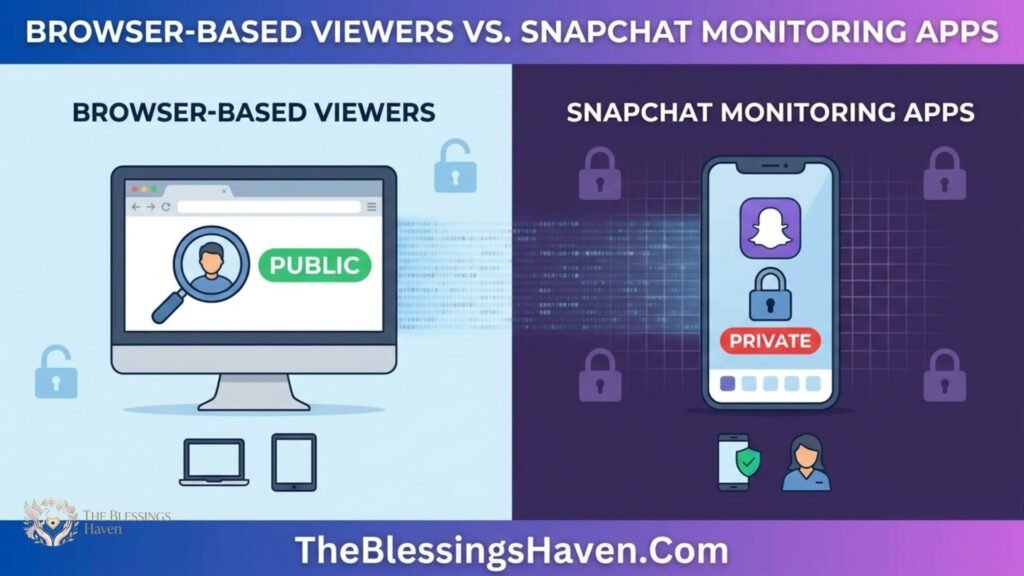
Browser-Based Viewers vs Snapchat Monitoring Apps
| Browser-Based Viewers | Monitoring Apps | |
|---|---|---|
| How it works | Displays publicly available Snapchat content | Monitors activity on an installed device |
| Needs the other person’s phone | No | Yes, with physical access |
| Shows private Stories | No | Only what appears on the monitored device |
| Snapchat login | Generally no | No |
| Cost | Usually free | Usually paid |
| Intended use | Public content | Authorized device monitoring |
| Main limitation | Cannot access private content | Requires access and legal authority |
These products solve different problems.
If you simply want to view a public profile or public Story, a browser-based Snapchat viewer is the more relevant type of tool.
A monitoring application is intended for a completely different situation involving a device that you are legally permitted to monitor.
Anonymous to the Story Owner Doesn’t Mean Anonymous to the Website
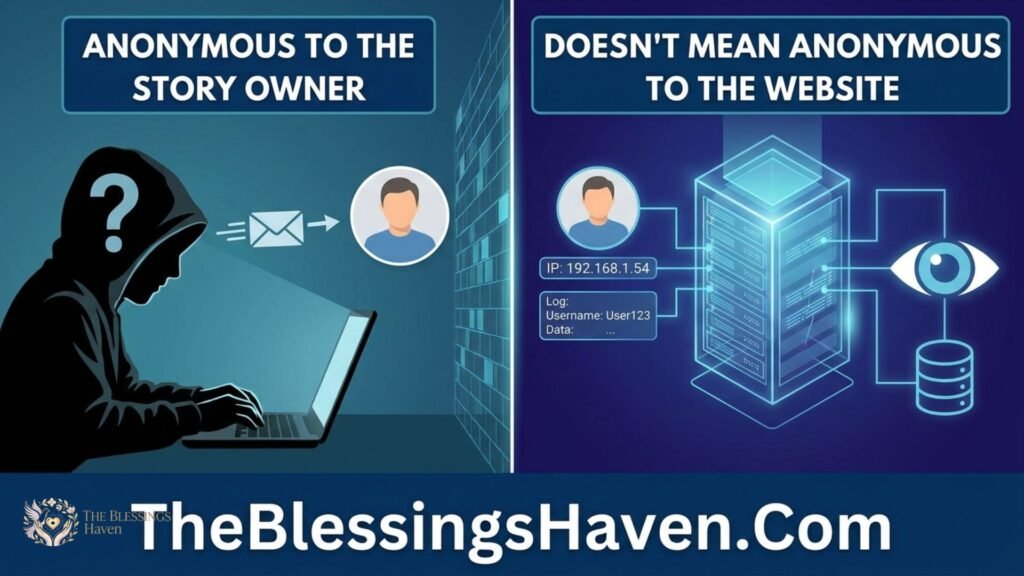
This is one of the most important privacy details to understand.
When a third-party Snapchat viewer allows you to browse a public Story without signing into Snapchat, the Story owner does not receive your Snapchat username through that logged-out session.
However, the website itself still processes your visit.
Depending on the site’s setup, this can include information such as:
- IP address
- Browser and operating-system details
- Cookies
- Advertising identifiers
- Analytics information
- Pages viewed on the website
Different websites handle this information differently.
For example, a privacy policy may say that search terms are not stored while also explaining that ordinary server logs still contain technical information.
That means there are really two different privacy questions:
Can the Story owner see my Snapchat identity?
Usually not when a public Story is viewed through a logged-out third-party service.
Can the website itself see technical information about me?
Potentially yes.
This distinction is easy to miss when a service advertises itself as completely anonymous.
For basic privacy protection, use a private browser window, avoid signing into unnecessary accounts, and do not provide personal information to a viewer site.
You May Like to Read: Renvoit Com 2026: Ultimate Review, Pros & Risks
What Anonymous Snapchat Viewers Can and Cannot Access
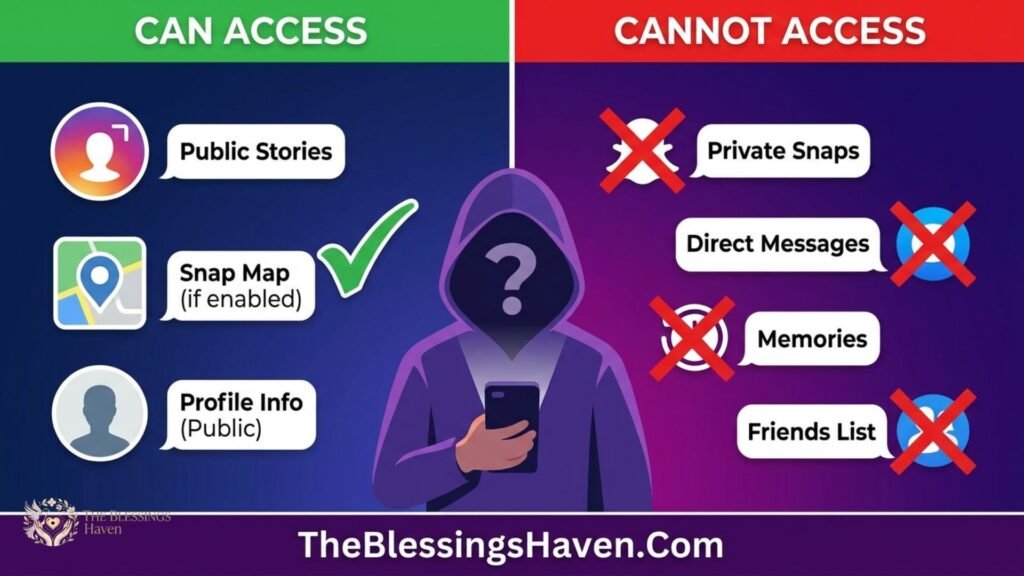
Public Stories: Generally yes, while the content is publicly available and the viewer supports that profile.
Friends-only Stories: No. These are restricted to approved viewers and are not normally published as open web content.
Expired Stories: Usually no. Once a Story expires, a normal public Snapchat viewer cannot simply retrieve it from Snapchat unless the content has been separately saved or published elsewhere.
Highlights: Often yes, when a public profile exposes them and the viewer supports that feature.
Spotlight: Public Spotlight content can be available through browser tools because Spotlight is a separate public-facing content feature.
Public profile details: Depending on the profile and the tool, you may see a profile name, bio, profile picture, subscriber information, Stories, Highlights, or other public details.
The important rule is simple: the viewer can only access what is publicly exposed and technically available to the service.
Can You View Snapchat Stories Without an Account?
Yes, for public content.
Snapchat public profile pages can be accessible through a browser without requiring the same account experience as the mobile app. Third-party Snapchat viewer tools also commonly allow username searches without asking you to sign into Snapchat.
For private or friends-only profiles, the situation is different.
A tool that only reads public web content cannot turn private Snapchat content into public content.
Can You View a Private Snapchat Story Anonymously?
No legitimate browser-based tool should be able to do this.
A private Story is intentionally limited to the people selected by the account owner. It is not supposed to appear as an open public web page.
A site that promises to reveal private Stories, friends-only content, hidden messages, or restricted accounts should therefore be treated as a warning sign.
Such a claim may be designed to push users into giving away passwords, installing software, completing suspicious surveys, or making unnecessary payments.
Monitoring applications do not change this fundamental rule. They do not remotely unlock a stranger’s Snapchat account. They only monitor activity appearing on a device where the software has been installed, subject to the appropriate access and legal authority.
Does Snapchat Notify Someone When You View Their Story?
When you view a Story through the Snapchat app while logged in, the platform records viewing activity and the account owner can see Story-view information.
The exact information available to the Story owner can depend on Snapchat’s current features and the type of Story.
When you use a logged-out browser-based Snapchat viewer for public content, there is no Snapchat username attached to that visit in the same way there is inside the app.
That is why these tools market themselves as anonymous.
However, it is still important to distinguish between what Snapchat shows the Story owner and what the third-party website may know about the visitor.
Does Airplane Mode Work for Snapchat Stories?
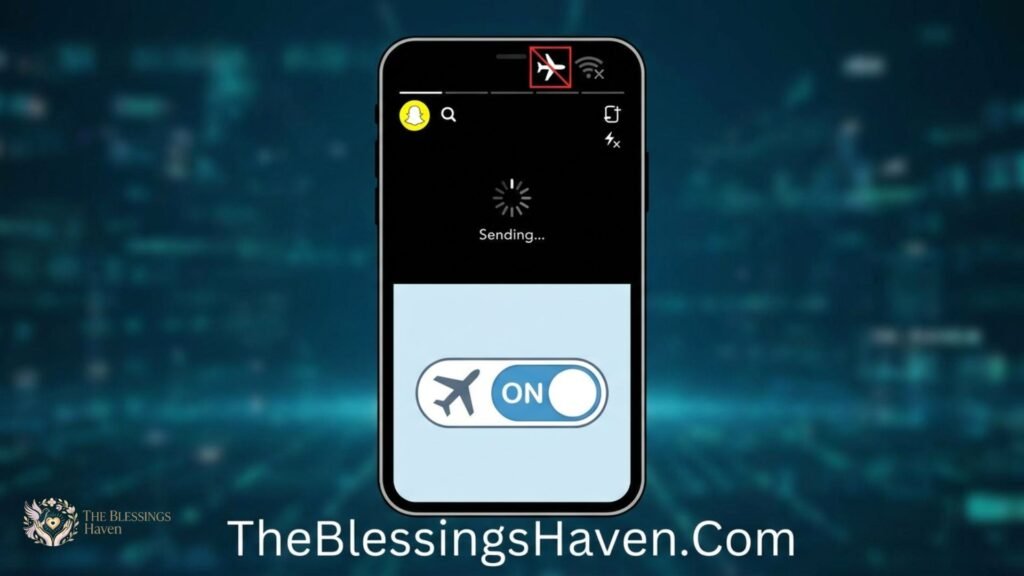
The airplane-mode trick has been repeated online for years.
The usual idea is to allow Snapchat to preload Story content, disconnect the phone from the internet, watch the Story, and reconnect later without supposedly sending the view.
The problem is that this method is not guaranteed.
An app can store activity locally and synchronize it when the connection returns. Updates can also change how the application handles cached content and viewing records.
Because Snapchat does not promise that airplane mode will prevent a Story view from being recorded, it should not be treated as a dependable privacy method.
A more reliable approach is to avoid opening the Story from an account where you do not want your view associated with you.
Are Anonymous Snapchat Story Viewers Safe?
A safer Snapchat viewer should generally require very little information.
For public content, the normal process should be as simple as entering a username or opening a public profile.
Some positive signs include:
- HTTPS
- A visible privacy policy
- Clear explanations of public-content limitations
- No request for a Snapchat password
- No unnecessary software installation
- No unexplained payment requirement for basic public viewing
The situation becomes much more concerning when a website asks for sensitive credentials or tells you to download an APK just to view a public Story.
Your Snapchat password is particularly important. Never give it to an unofficial viewing site.
If you have already entered your Snapchat password on a suspicious website, change the password immediately and enable two-factor authentication.
Red Flags to Watch For
Leave the website if a Snapchat viewer:
- asks for your Snapchat password
- requests a Snapchat verification or recovery code
- requires an unknown APK or executable file
- asks for payment before showing supposedly free content
- displays fake loading screens followed by suspicious “verification” requests
- sends you through repeated redirects and pop-ups
- requests unnecessary browser permissions such as camera, microphone, or location access
- claims it can reveal private or friends-only Stories
- has no privacy policy or meaningful information about the service
Be especially careful with downloadable files.
A website that says an app, extension, or APK is mandatory for viewing a public Story deserves extra scrutiny because a normal browser viewer should not need broad device access just to display public content.
Frequently Asked Questions
Can I view a Snapchat Story without an account?
Yes, public Snapchat content can sometimes be viewed through a browser without a Snapchat account. Private and friends-only Stories still require the appropriate access.
Can someone see if I view their Snapchat Story?
When you view a Story through Snapchat while logged in, the account owner can generally see viewing information. A logged-out public Snapchat viewer works differently because your Snapchat username is not attached to the visit in the normal way.
Can I view Snapchat Stories anonymously?
You can view public Stories without attaching your Snapchat username by using a browser-based viewer. However, the third-party website may still collect technical information about your visit.
Can I view a private Snapchat Story anonymously?
No legitimate public Snapchat viewer can unlock a private or friends-only Story. Treat claims that promise private access as a warning sign.
Does airplane mode hide Snapchat Story views?
Not reliably. Snapchat can potentially synchronize activity after the device reconnects, and application behavior can change with updates.
Are anonymous Snapchat viewer websites safe?
Some may be relatively low-risk when they only ask for a public username and provide clear privacy information. Avoid sites that request passwords, suspicious downloads, verification codes, or unnecessary payment details.
Do Snapchat story viewers require a login?
A browser-based Snapchat viewer usually does not need a Snapchat login when it is limited to public content. A request for your Snapchat credentials is a major warning sign.
Can I search for a Snapchat Story by username?
Yes. Many browser-based tools allow you to enter a public username to search for available content.
Can anonymous Snapchat viewers download Stories?
Some third-party viewers advertise Story downloads. However, downloading does not automatically give you permission to repost, redistribute, or commercially use content created by someone else.
Final Thoughts
The best Snapchat viewer depends on what you are actually trying to access. For public Stories and profiles, browser-based tools can provide a simple way to browse without connecting the visit to your Snapchat username.
However, anonymity has limits. A third-party website may still collect technical information such as your IP address, browser details, cookies, or analytics data. Private and friends-only Stories also remain outside the legitimate reach of normal public viewers.
Tools such as PeekPublic, StoryLooker, SnapStoryView, and similar services may be useful for public content, while monitoring apps such as XnSpy and mSpy are designed for authorized device monitoring rather than ordinary Story viewing.
The safest approach is simple: use public-content tools only, never enter your Snapchat password on a third-party viewer, avoid suspicious downloads and redirects, and do not trust any website promising access to private Stories. A useful Snapchat viewer should keep the process simple without putting your account or privacy at unnecessary risk.

I’m the creator of The Blessings Haven, sharing heartfelt blessings, inspiring quotes, and meaningful wishes to brighten your day and spread positivity.


Pingback: Samsung Smart Watch 2026: Features, Benefits & Buying Guide
Pingback: Backtofrontshow Pricing: Powerful Plans & Costs 2026